





The e-Rupee was launched by the Reserve Bank of India on December 1, 2022.
Being implemented in a phased manner, the primary goals of this central bank digital currency include streamlining transactions, promoting financial inclusivity, and facilitating the shift towards a cashless economy.
While there might be some advantages and disadvantages of this digital currency, one noteworthy benefit of it is transparency. Unlike cryptocurrencies that are often associated with illicit and speculative activities, the e-Rupee is subject to tight regulations, ensuring a transparent and secure environment without room for any dubious practices.
In this guide, we'll explore the specifics of the e-Rupee and how to use it.
Bear in mind that the e-Rupee system is still in the pilot stage and may have limited accessibility. This is temporary, and access will expand gradually. Some users may receive early access invitations from their banks, becoming part of the first wave to experience the e-Rupee system firsthand.
Understanding the e-Rupee
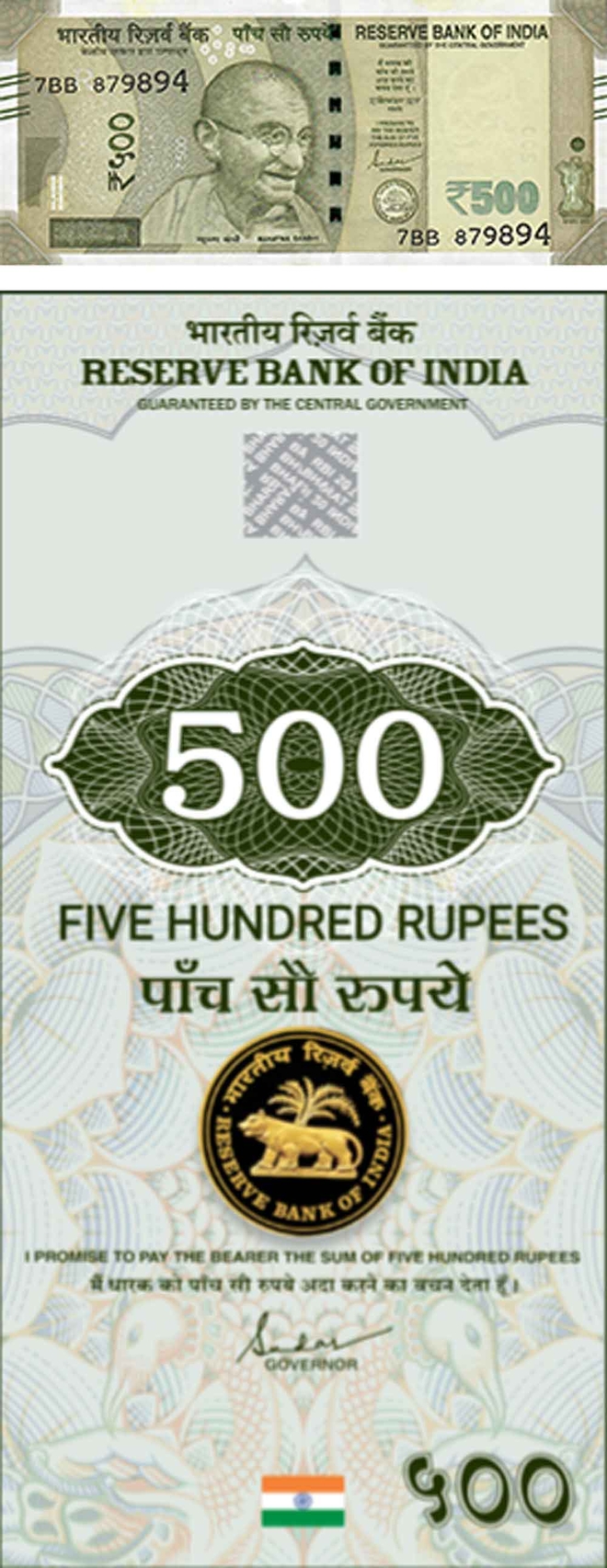
Similar to physical Indian currency, the e-Rupee exists in digital form with various denominations, including coins of 50p and Re 1, and notes ranging from Rs 2 to Rs 2,000. This ensures smooth transactions of any value.
Just as we refer to the physical currency as a 'note', the digital equivalent in the e-Rupee system is referred to as a 'token'.
Getting started with the e-Rupee
To begin using the e-Rupee, follow these simple steps:
- Download the compatible app: If you have an ICICI Bank account, use the ICICI Digital Rupee app. Otherwise, find the dedicated app provided by your bank.
- Set up your account: Open the app, allow access to your location, accept the terms, and start the registration process.
- Verify your SIM card: The app will verify the SIM card in your device.
- Secure your account: Set an app PIN or use biometric options like FaceID or fingerprint.
- Enter your details: Provide your full name, set a secure 6-digit PIN for your e-Rupee wallet, and link your existing bank account.
- Complete verification: Enter the last six digits of your bank card along with the card's expiry month and year. Once verified, your e-Rupee wallet setup is complete.


Adding funds to your e-Rupee wallet
Before making transactions, make sure your wallet has sufficient funds:
- Access the 'Load' option: Tap on 'Load' in the app menu to add funds.
- Choose the amount: Type the desired amount or use the visual interface to select the value by swiping up notes/coins.
- Select the funding source: Use your bank account or UPI to add money (note: UPI option will be available later).
- Confirm and load: After selecting the source and confirming the amount, the specified funds will be drawn from your bank account and converted into e-Rupee in your digital wallet.


Sending money with e-Rupee
Now that your wallet is loaded, follow these steps to send money. But ensure the recipient has a functional e-Rupee wallet:
- Initiate the transfer: Click on 'Send' in the app menu.
- Enter recipient details: Scan the recipient's QR code or manually type in their phone number.
- Specify the amount: Enter the desired amount or use the 'swipe up' function to set it.
- Send and authenticate: Click on 'Send Digital rupee' and enter your wallet PIN to authenticate the transfer.
- Successful transfer: Upon authentication, the specified amount will be transferred from your e-Rupee wallet to the recipient's wallet. You'll receive a confirmation message.


Additional points to remember
- Note the difference between e-Rupee (digital currency) and e-RUPI (voucher-based digital payment system).
- Currently, UPI QR codes cannot be used to send e-Rupee, but future updates will interlink them.
- e-Rupee works with nearest 50p denominations and rounds up or down accordingly.
- For amounts not matching available tokens, the bank will break down larger tokens into smaller ones and return the remainder. Suppose you want to send Rs 76, but you only have a Rs 100 token. In that case, the bank will break down the Rs 100 token and send multiple tokens - one Rs 50 token, one Rs 20 token, one Rs 5 token, and one Re 1 token. The remaining Rs 24 will be broken down and returned to you.
Read how the e-Rupee measures up against the country's popular Unified Payments Interface (UPI).
This article was originally published on July 17, 2023.
Ask Value Research 

 New episodes every Friday





 New Process Alert
  Seems like you've uploaded a wrong QR code. Please upload the QR code downloaded from MF Central platform.


